The Problem
Scripts that run on a production VPS were being written and edited in place. There was no version control, no linting and nowhere safe to test a change before it hit a live server running backups, certificate checks, monitoring and a WireGuard endpoint.
The goal was a test environment on Windows that:
- Runs bash exactly as the VPS would, with the same packages
- Avoids Docker, to stay light on a laptop
- Lives as one Git repo alongside other projects in
Dev\ - Never connects to the VPS. Everything moves by manual export and deploy.
The Design
| Component | Runs In | Purpose |
|---|---|---|
| Bash | WSL Debian 13 (trixie) | Same release as the VPS, same package list |
| PowerShell | Native pwsh 7 | Windows-only modules (AD, WMI, registry) |
| Python | Repo .venv | Isolated dependencies |
| Editor | VS Code | ShellCheck inline, one-key test task |
| Sync | Private GitHub repo | Identical setup on laptop and main PC |
Script-Lab/
├── bash/
│   ├── _lab/                    lab tooling
│   │   ├── apt-packages.txt
│   │   ├── sync-vps-packages/
│   │   ├── new-bash-script/
│   │   └── import-vps-scripts/
│   └── NAME/                    one folder per script
│       ├── NAME.sh
│       ├── deps/apt.txt
│       └── output/
├── python/  powershell/  docs/
└── .vscode/ (settings.json, tasks.json)
Every script gets its own folder holding its dependencies and its output. With dozens of scripts over time, nothing ends up scattered across the repo.
Matching WSL to the VPS
The VPS’s manually installed package list is exported by hand:
apt-mark showmanual | sort > /Backup_Data/vps-apt-manual.txt
cat /etc/os-release > /Backup_Data/vps-os.txt
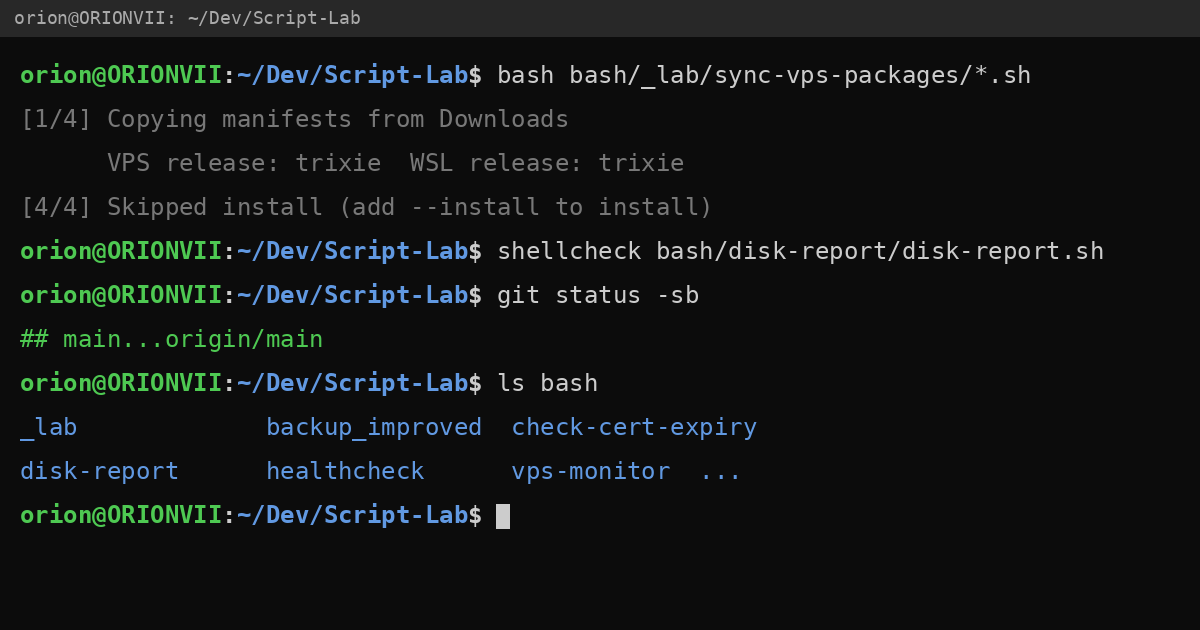
The files are copied to the PC, and a sync script builds the WSL list. It also:
- Strips server-only packages (kernel, grub, cloud-init)
- Strips packages from third-party repos WSL does not have (CrowdSec, Netdata, Tailscale, Webmin)
- Merges every script’s
deps/apt.txt - Drops anything
apt-cachecannot find - Installs only when passed
--install
bash bash/_lab/sync-vps-packages/sync-vps-packages.sh --install
The first raw install failed on exactly those seven third-party packages, which is what drove the filter.
Testing a Script
A single committed tasks.json lints and runs whichever script is open:
"command": "wsl",
"args": ["bash", "-c", "f=$(wslpath '${file}'); shellcheck \"$f\" && bash \"$f\" ${input:args}"]
VS Code passes the Windows path, wslpath converts it, ShellCheck lints it, and the script only runs if the lint is clean. A prompt collects arguments, so --dry-run can be passed in.
Finding and Importing Existing Scripts
Scripts on the VPS were found by checking candidate files against the dpkg database. Anything no package owns was added by hand:
find "$d" -xdev -type f -size -1024k ... | while read -r f; do
  dpkg -S "$f" >/dev/null 2>&1 && continue
  echo "$f"
done
The first run returned zero results. find -size -1M rounds every file up to a whole MiB, so it only matches empty files. Switching to -size -1024k found 39 files. After filtering out Warp terminal helpers and .bak copies, 18 real scripts remained, five of them live in cron and systemd.
A secrets grep flagged two files. Both turned out to read keys and tokens at runtime from config files that are never exported. The scripts were bundled, hash-checked, copied down and bulk-imported into their own folders, keeping their original names so cron and systemd entries still match on deployment.
Deploying Back
Deployment stays manual:
tar --exclude='output/*' -czf NAME.tar.gz NAME      # WSL
sudo tar -xzf NAME.tar.gz -C /opt/scripts           # VPS
sudo chown -R root:root /opt/scripts/NAME
sudo chmod 750 /opt/scripts/NAME/NAME.sh
sudo /opt/scripts/NAME/NAME.sh --dry-run
Ownership has to be reset every time, because tar preserves the WSL user’s UID.
What WSL Cannot Reproduce
| Area | Why |
|---|---|
| Firewall and network | WSL sits behind Windows NAT |
| Disks and mounts | No real block devices |
| Live services | Third-party tools are not installed |
| Cron | Not used in WSL, and cron’s minimal PATH is a common failure |
Read-only and reporting scripts transfer 1:1. Anything that changes the system is only proven by its first dry run on the VPS.
Lessons
- Git in WSL is separate from Windows Git and needs its own identity.
gh auth loginplusgh auth setup-gitis the cleanest way to sign it in. - Mixed line endings break bash on Linux.
.gitattributesenforces LF for.sh,.txt,.jsonand.md, and CRLF for.ps1. - Moving a script one level deeper broke its internal paths. Resolving paths from
$(dirname "$0")and checking them withgrep -nE '^(HERE|LAB|OUT)='caught it. - Long heredoc pastes get truncated in the terminal. Shipping scripts as files was more reliable.
References
- WSL file systems: https://learn.microsoft.com/windows/wsl/filesystems
- Git in WSL: https://learn.microsoft.com/windows/wsl/tutorials/wsl-git
- apt-mark: https://manpages.debian.org/trixie/apt/apt-mark.8
- dpkg-query: https://manpages.debian.org/trixie/dpkg/dpkg-query.1
- find: https://manpages.debian.org/trixie/findutils/find.1
- gitattributes: https://git-scm.com/docs/gitattributes
- VS Code tasks: https://code.visualstudio.com/docs/editor/tasks
- gh auth setup-git: https://cli.github.com/manual/gh_auth_setup-git
- ShellCheck: https://www.shellcheck.net/wiki/
- Filesystem Hierarchy Standard /opt: https://refspecs.linuxfoundation.org/FHS_3.0/fhs/ch03s13.html