ASCII Art Generator - Image to Character Bitmap Conversion
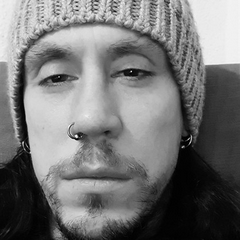
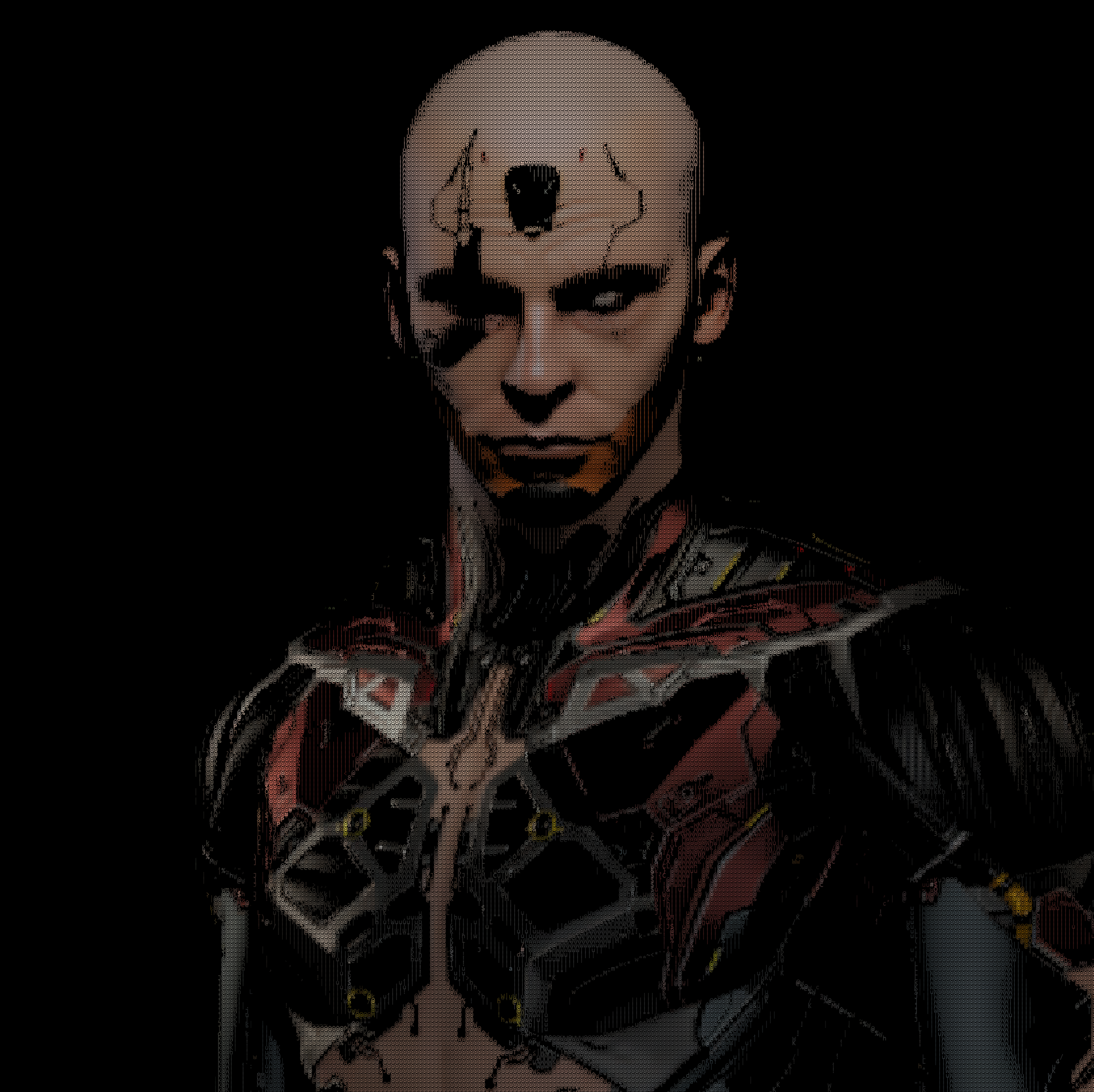
The resurrection of an old project that I have not touched for a very long time, this version is much improved. It can be used to make interesting images that are highly detailed and most importantly easy to use and maintain.
Overview
A Python script that converts images into coloured ASCII art using bitmap-based character matching. This script analyzes images pixel-by-pixel and matches each region to ASCII characters based on visual similarity. It uses OpenCV for image processing, PIL for font rendering, and NumPy for bitmap comparison operations.
How It Works
The conversion process uses L1 distance (Manhattan distance) to match image patches with pre-rendered character bitmaps:
- Load and resize source image to match font cell dimensions
- Apply CLAHE contrast enhancement with gamma correction
- Pre-render each character in the selected charset as a grayscale bitmap
- For each output cell, extract the corresponding image patch
- Calculate L1 distance between patch and all character bitmaps
- Select the character with minimum distance
- Sample color from original image and render the matched character
The L1 metric (sum of absolute pixel differences) provides effective character matching by accounting for both density and spatial distribution within each glyph.
Features
- Three density levels: Simple (9 chars), Medium (18 chars), Full (95 ASCII chars)
- Color or grayscale rendering
- Contrast Limited Adaptive Histogram Equalization (CLAHE)
- Configurable gamma boost for brightness adjustment
- Cross-platform font detection (Windows/Mac/Linux)
Requirements
pip install numpy opencv-python pillow
Usage
python ascii_art.py
Interactive prompts:
- Image path
- Density level (1-3)
- Color mode (y/n for grayscale)
- Width in characters (default: 160)
- Gamma boost (default: 1.2)
Output: output_ascii.png
Code
import os, platform
import numpy as np
import cv2
from PIL import Image, ImageFont, ImageDraw

DENSITY_MAP = {
    "1": "@%#*+=-:. ",
    "2": "MWNXK0Okxdolc:;,. ",
    "3": [chr(i) for i in range(32, 127)]
}

def load_monospace_font(size=20):
    system = platform.system()
    mac = ["/System/Library/Fonts/Menlo.ttc", "/System/Library/Fonts/Monaco.ttf"]
    win = [r"C:\Windows\Fonts\consola.ttf", r"C:\Windows\Fonts\cour.ttf"]
    linux = ["/usr/share/fonts/truetype/dejavu/DejaVuSansMono.ttf"]

    search = mac if system == "Darwin" else win if system == "Windows" else linux
    for p in search:
        if os.path.exists(p):
            try: return ImageFont.truetype(p, size)
            except: pass
    return ImageFont.load_default()

font = load_monospace_font(20)

def get_font_cell(font):
    bbox = font.getbbox("M")
    return (bbox[2] - bbox[0], bbox[3] - bbox[1])

CELL = get_font_cell(font)

def glyph_bitmap(ch, font, cell):
    w, h = cell
    im = Image.new("L", (w, h), 0)
    d = ImageDraw.Draw(im)
    d.text((0, 0), ch, font=font, fill=255)
    return np.array(im, dtype=np.float32) / 255.0

def enhance_contrast(gray, gamma_val=1.2):
    clahe = cv2.createCLAHE(clipLimit=3.0, tileGridSize=(8,8))
    g = clahe.apply((gray * 255).astype(np.uint8)) / 255.0
    return np.clip(np.power(g, gamma_val), 0, 1)

def image_to_ascii_dynamic():
    path_input = input("Enter image path: ").strip()
    img_path = path_input.replace('"', '').replace("'", "")

    if not os.path.exists(img_path):
        print(f"File not found: {img_path}"); return

    print("\nSelect Density:\n1: Simple (@%#*+=-:.)\n2: Medium (Balanced)\n3: Full (Standard ASCII)")
    d_choice = input("Choice [1-3]: ")
    charset = DENSITY_MAP.get(d_choice, DENSITY_MAP["2"])

    is_grayscale = input("Enable Grayscale output? (y/n): ").lower() == 'y'
    cols = int(input("Width in characters (default 160): ") or 160)
    gamma_boost = float(input("Brightness/Gamma boost (default 1.2): ") or 1.2)

    glyphs = [(ch, glyph_bitmap(ch, font, CELL)) for ch in charset]

    img = cv2.imread(img_path)
    if img is None:
        print("Error: Could not decode image."); return

    img = cv2.cvtColor(img, cv2.COLOR_BGR2RGB)
    h, w = img.shape[:2]
    cw, ch = CELL
    rows = int(cols * (h/w) * (cw/ch))
    target_px = (cols*cw, rows*ch)
    img_small = cv2.resize(img, target_px, interpolation=cv2.INTER_AREA)

    gray = cv2.cvtColor(img_small, cv2.COLOR_RGB2GRAY) / 255.0
    gray = enhance_contrast(gray, gamma_boost)

    out = Image.new("RGB", target_px, (0,0,0))
    draw = ImageDraw.Draw(out)

    print(f"Generating {cols}x{rows} ASCII art...")

    for r in range(rows):
        for c in range(cols):
            x0, y0 = c*cw, r*ch
            patch = gray[y0:y0+ch, x0:x0+cw]

            best_char = min(glyphs, key=lambda g: np.sum(np.abs(patch - g[1])))[0]

            color_sample = img_small[y0:y0+ch, x0:x0+cw].mean(axis=(0,1))
            if is_grayscale:
                avg = int(sum(color_sample)/3)
                color = (avg, avg, avg)
            else:
                color = tuple(int(v) for v in color_sample)

            draw.text((x0, y0), best_char, font=font, fill=color)

    out_name = "output_ascii.png"
    out.save(out_name)
    print(f"Done! Saved to: {os.path.abspath(out_name)}")

if __name__ == "__main__":
    image_to_ascii_dynamic()
Technical Details
Character Density Levels
| Level | Characters | Use Case |
|---|---|---|
| 1 | @%#*+=-:. | High contrast, bold output |
| 2 | MWNXK0Okxdolc:;,. | Balanced detail and readability |
| 3 | Full ASCII (32-127) | Maximum detail and texture variation |
CLAHE Parameters
The script uses OpenCV’s Contrast Limited Adaptive Histogram Equalization with:
- Clip limit: 3.0 (prevents over-amplification of noise)
- Tile grid size: 8x8 (local contrast enhancement regions)
Font Cell Calculation
Font cell dimensions are determined using PIL’s getbbox() method on the character “M” (widest monospace character). This ensures proper aspect ratio preservation when converting image dimensions to character grid dimensions.
Distance Metric
The L1 distance (Manhattan distance) is calculated as:
distance = sum(|pixel_patch - character_bitmap|)
This metric is computationally efficient and provides good visual matching for character selection compared to L2 (Euclidean) distance.
Platform Compatibility
The script automatically detects and loads monospace fonts based on operating system:
| Platform | Font Search Paths |
|---|---|
| macOS | Menlo.ttc, Monaco.ttf |
| Windows | consola.ttf, cour.ttf |
| Linux | DejaVuSansMono.ttf |
If no system font is found, PIL’s default font is used as fallback.
References
- OpenCV CLAHE Documentation: https://docs.opencv.org/4.x/d6/dc7/group__imgproc__hist.html#gad689d2607b7b3889453804f414ab1018
- PIL ImageFont Module: https://pillow.readthedocs.io/en/stable/reference/ImageFont.html
- NumPy Array Operations: https://numpy.org/doc/stable/reference/routines.array-manipulation.html
- Manhattan Distance Metric: Standard L1 norm calculation for bitmap comparison